Your account | Cart Cart
 Search

UMove for Active Directory
IntroductionIntroduction
Choice of OperationChoice of Operation
Emergency MoveEmergency Move
Planned MovePlanned Move
Test CopyTest Copy
Scheduled BackupScheduled Backup
Restore on Same ComputerRestore on Same Computer
Simple vs ComprehensiveSimple vs Comprehensive
Restore ScopeRestore Scope
Loading Active DirectoryLoading Active Directory
Advanced TopicsAdvanced Topics
Error MessagesError Messages

Restore on Same Computer

When run on the same computer, UMove will restore the Active Directory database and related files only. It does not require you to restore the entire operating system (also called the System State).

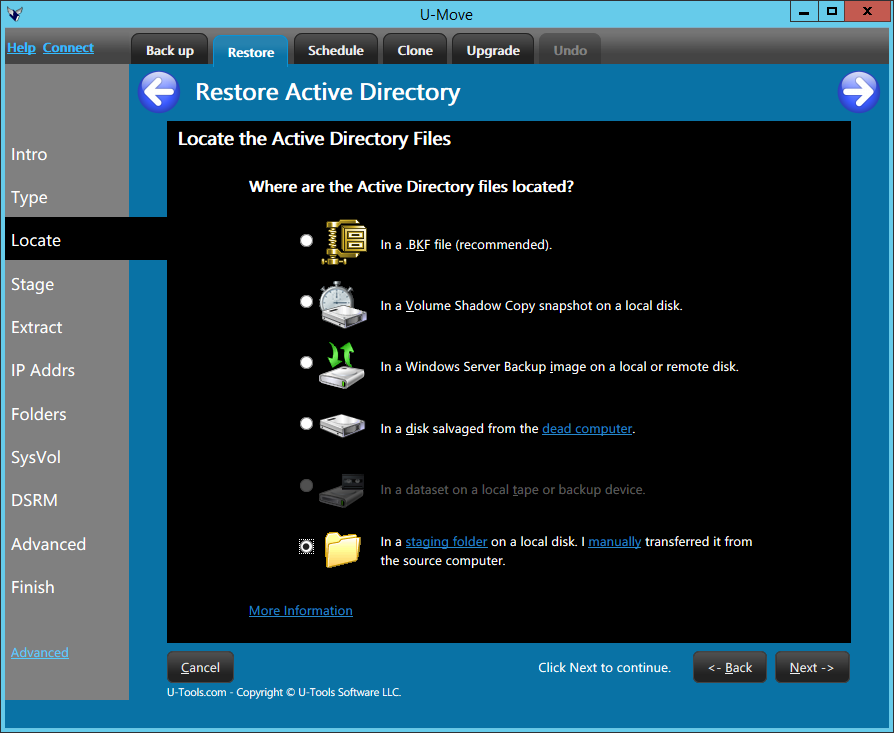
UMove restores only the data files associated with Active Directory. It preserves all unrelated operating system files, such as EXE files and DLL files. This gives you the fastest and safest way to recover the Active Directory database with minimal side effects.

UMove can restore Active Directory in emergency situations. For example, UMove can read damaged or corrupt .BKF files that NTBACKUP cannot read. And UMove can restore a backup made more than 60-180 days ago that has expired.

Restore From a Daily Snapshot

UMove can restore Active Directory from the daily snapshot. A snapshot is a small .BKF file. The .BKF file contains the minimum information needed to restore Active Directory. The size of a snapshot is typically only 100MB plus the size of the NTDS.DIT file. To create a daily snapshot see Scheduled Backup.

Restore From a Full Backup

UMove can read standard .BKF backup files created with NTBACKUP or third party compatible backup applications. The backup application must be compatible with the Microsoft Tape Format (MTF) Specification.

Restore Method: Simple or Comprehensive

UMove can do a simple restore of just Active Directory, or it can do a comprehensive restore that will recover additional data that is related to Active Directory. On the same computer choose a simple restore. On a different computer choose a comprehensive restore. For more information see Simple vs Comprehensive Restore.

Restore Scope

For additional instructions, select the scope of the restore operation:

For more information

See also Restoring DNS from a backup more than 7 days old.


Algin Technology LLC